
© Felix Rome / Mara Predator Conservation Program


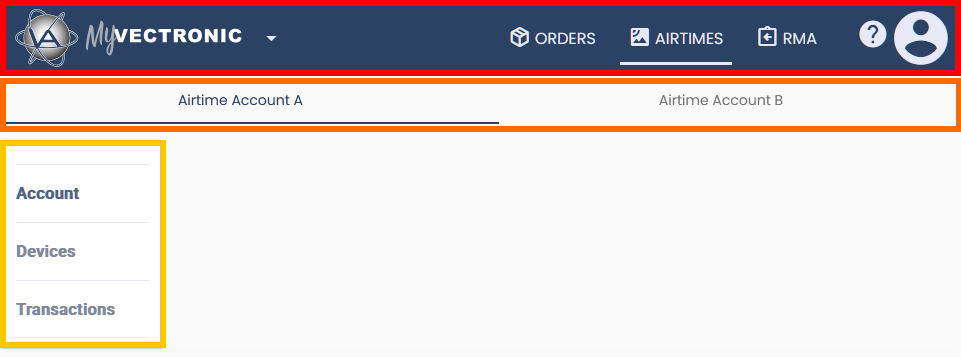
Header Tabs and Icons:
The MyVectronic header contains the following tabs and icons.
ORDERS tab: (Read more)
- All your orders are listed here, where you can track their status.
AIRTIMES tab: (Read more)
- Here you can find your airtime account(s) to switch between them if you manage multiple,
- and manage your airtime account(s), (de)activate device airtime, as well as view transactions.
RMA tab: (Read more)
- Allows you to create, edit, and track RMAs.
 -icon:
- Here you will find links to the support web form
- and the legal notice.
- You can report issues and
- check the MyVectronic version.
 -icon:
- Here you find the email address associated with your MyVectronic account and
- the option to log out.
Airtime account tabs:
Multiple airtime accounts within one MyVectronic account are listed here as tabs from left to right.