
© Felix Rome / Mara Predator Conservation Program

INVENTA
Are you a MyVectronic airtime owner?
Please reference the MyVectronic article here: How to activate and deactivate device airtimes in MyVectronic
Please note: Your INVENTA account need Device Owner or Device Manager permissions to activate and deactivate airtimes.
Please note: Activation and deactivation features differ depending on the communication type:
| Communication Type | Can be activated? | Can be deactivated? | Remark |
| Iridium |  |
 |
Requests handled directly via provider API |
| Globalstar | |
|
Requests are handled by Vectronic (within 24 hours on business days) |
| GSM |  |
|
Requests are handled by Vectronic (within 24 hours on business days) |
* Activation is only possible if the airtime account has enough funds.
Device airtimes can be activated and deactivated on INVENTA’s Devices pages.
- From the Devices menu, click Collars
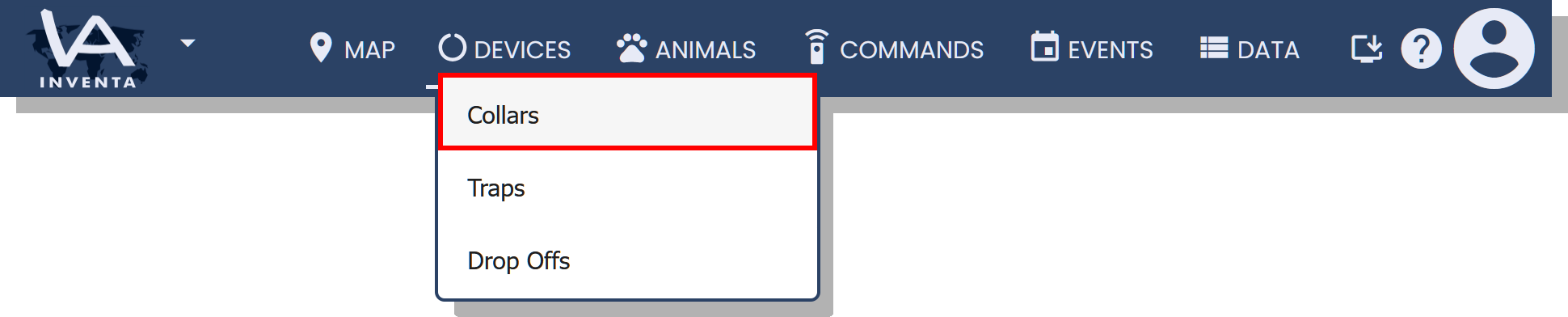
Good to know: You can view the current Network Status and Role columns in the Collars table and reorder the columns by dragging the column header to the desired location.
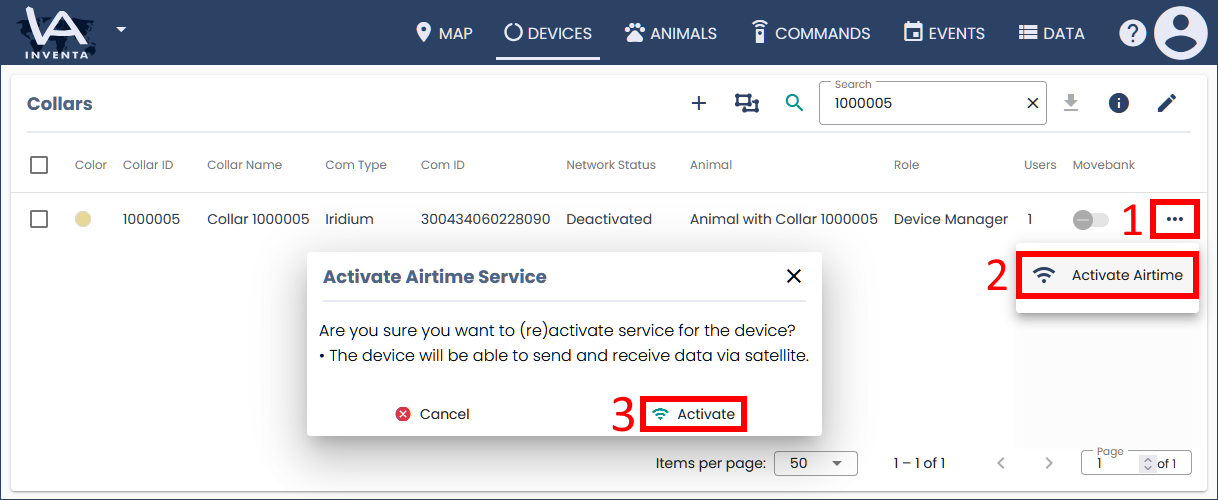
- To activate airtime for a single device:
- At the far right of the collar row, click the Actions menu ···
- Click Activate Airtime
- In the Activate Airtime Service dialog box, click Activate
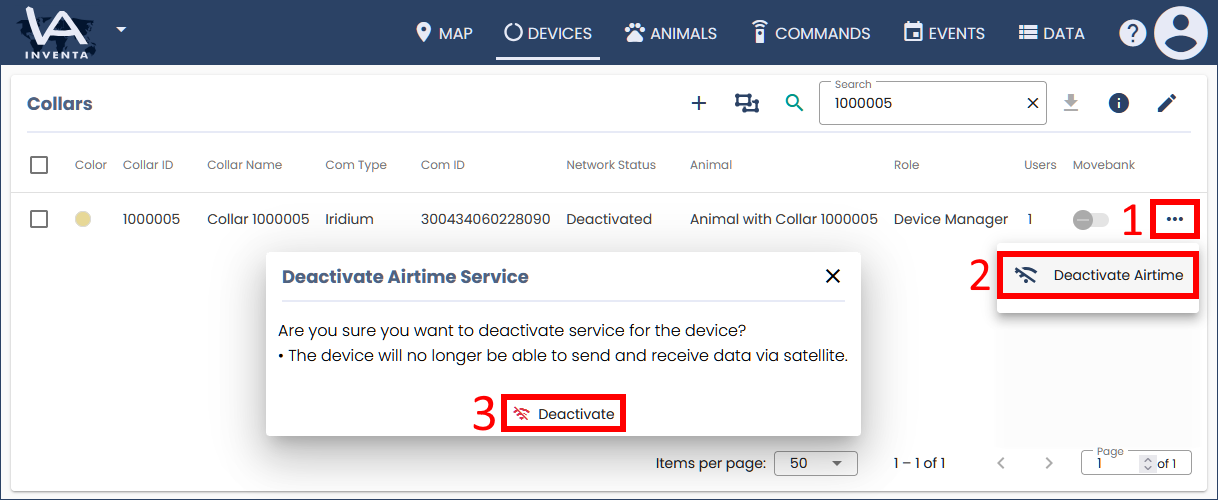
- To deactivate airtime for a single device:
- At the far right of the collar row, click the Actions menu ···
- Click Deactivate Airtime
- In the Deactivate Airtime Service dialog box, click Deactivate
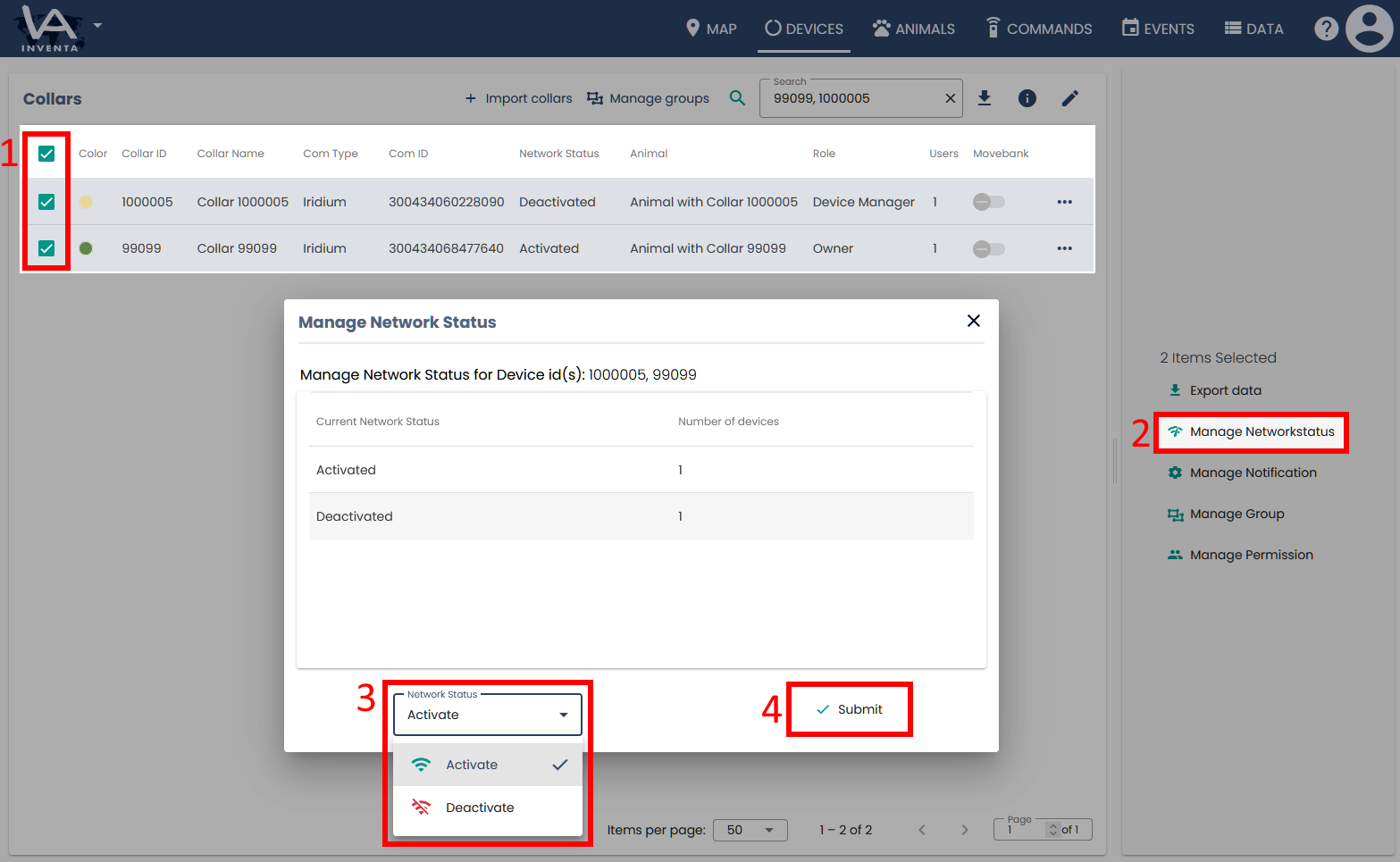
- To activate or deactivate airtime for multiple devices at the same time:
- Select the collars you want by checking their boxes
- On the right panel, click Manage Networkstatus
- Select Activate or Deactivate
- Click Submit
Please note: The availability of the action depends on the airtime status, communication type, and your device permission. If the action does not appear, please consult the table above and check your device permissions.
Good to know:
- Airtime owners can also activate and deactivate airtimes.
- If it should become necessary to adjust the permissions of other users to enable them to manage airtimes, please find instructions at How to manage user roles.