© Felix Rome / Mara Predator Conservation Program

INVENTA
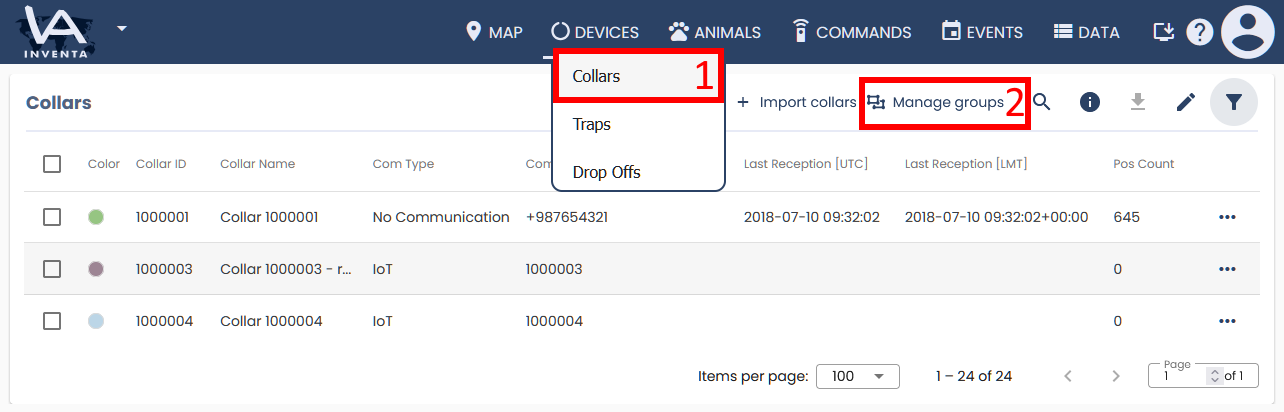
1. From the Devices menu, click Collars.
2. In the upper right corner, click  Manage groups.
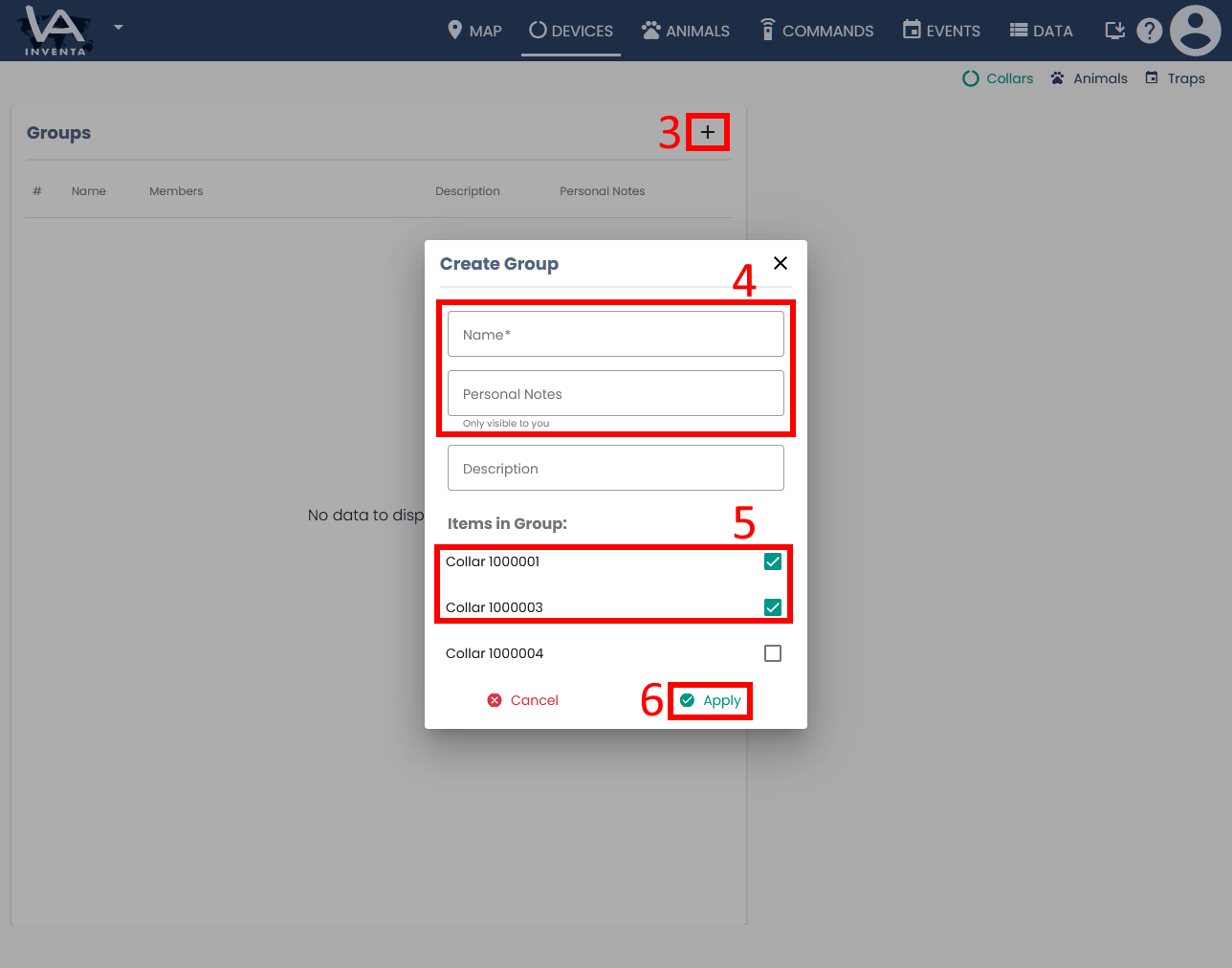
3. On the Groups page, click the Add a new group icon.
4. In the Create Group dialog box, enter a group name and description.
5. Select the collars you want to add to the group by checking their boxes.
6. Click Apply.