
© Felix Rome / Mara Predator Conservation Program

INVENTA
INVENTA Desktop allows you to export and import Motion data files.
Finding Motion data

- Navigate to the tab ‘Data’
- Select ‘Motion’ from the submenu
Export raw Motion data files
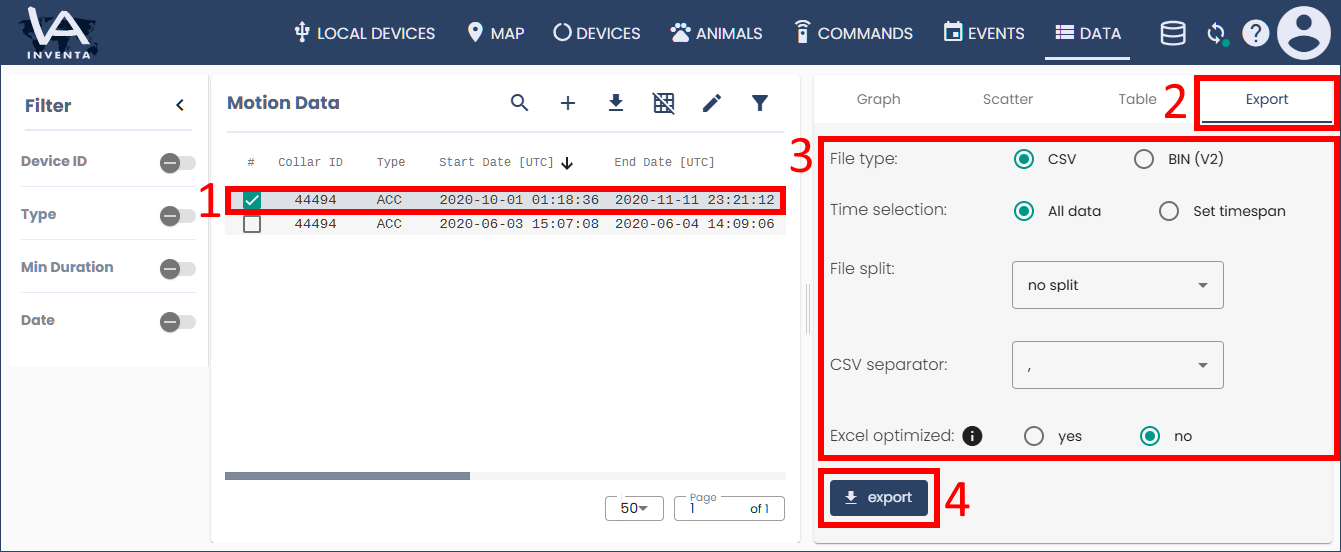
- Click the row(s) of the Motion Data file(s) that you want to export
- Switch to the rightmost tab ‘Export’
- Define export parameters as file format, time selection, file separator and file splitting method
- Press the button ‘Export’
Import Motion data files
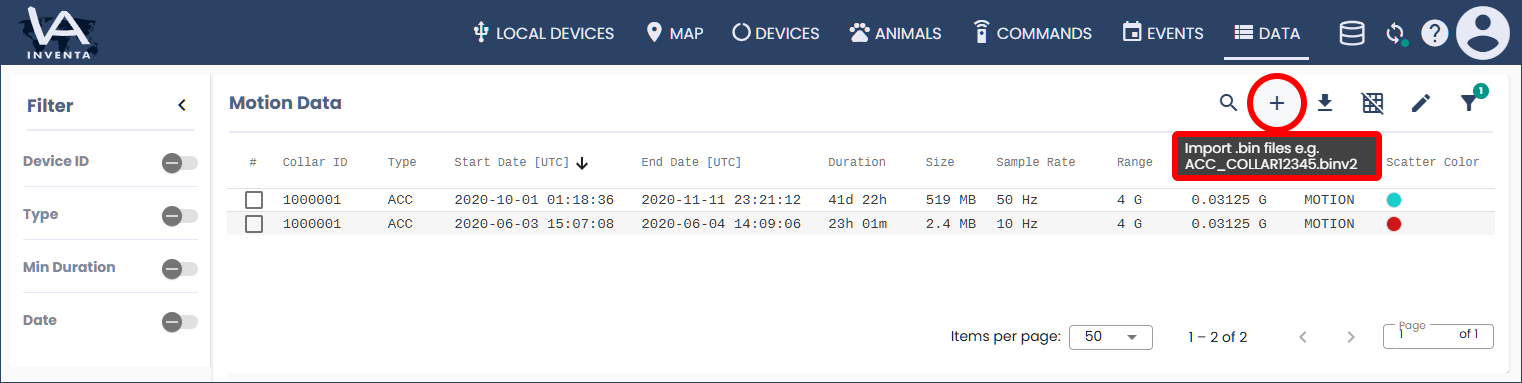
Click the button ‘Import’ above the table (make sure the file name matches the notation: ‘ACC_COLLAR12345.binv2’ while you replaced 12345 by your collar ID.)
Good to know:
- Here is how to Download Data from a local device (including Motion data)
- Here is how to View Motion data
- You can export motion data as .bin files and share them with colleagues, who can then import the data back into their INVENTA Desktop
- Please note that the download button above the table is strictly for metadata export. Individual motion raw data must be downloaded via the Export tab as explained above