
© Felix Rome / Mara Predator Conservation Program

INVENTA
INVENTA Desktop allows you to view your Motion data as a graph, a scatter plot, or a table.
Finding Motion data

- Navigate to the tab ‘Data’
- Select ‘Motion’ from the submenu
Viewing Motion data
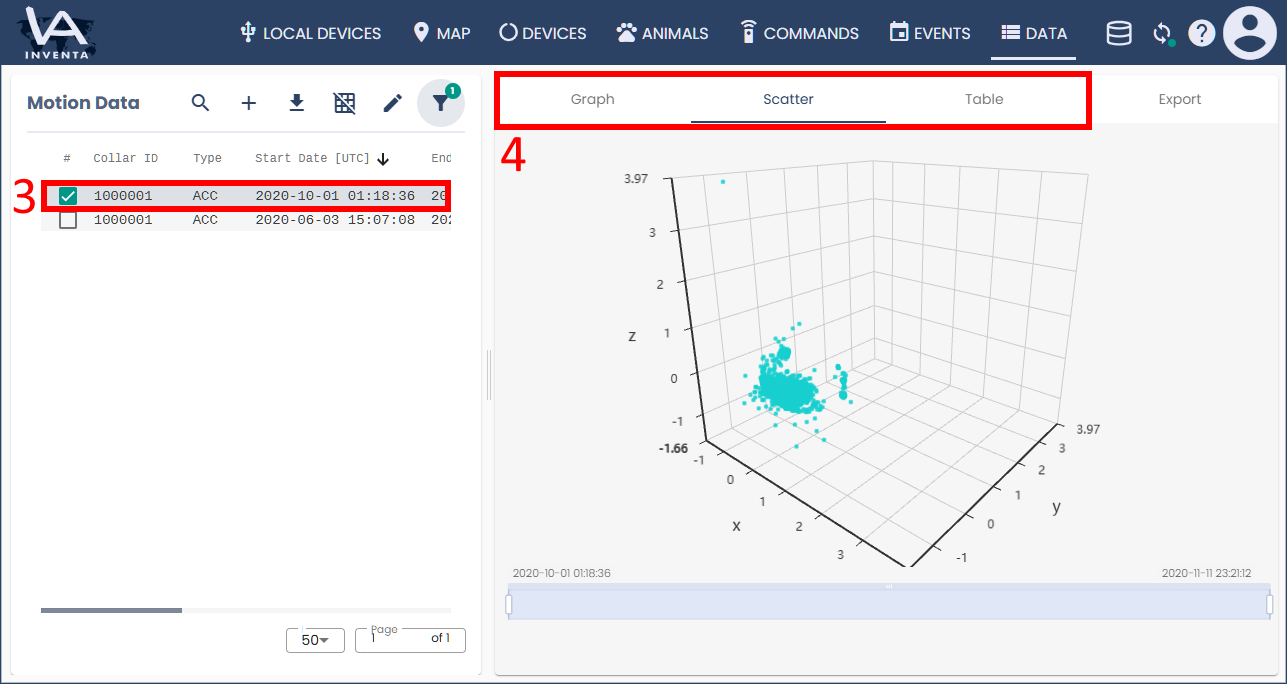
- Click the row(s) of the Motion data file(s) that you want to view
- Select one of the tabs ‘Graph’, ‘Scatter’, or ‘Table’ to view the motion data in that format.
Good to know:
- Here is how to Download Data from a local device (including Motion data)
- Here is how to Export and import Motion data
- The view at ‘Local Devices’ → ‘[Selected Device]’ → ‘Live’ does not provide access to the Motion data stored on the device, rather it helps to test the sensors of connected devices and allows to get an idea of the expected data.