© Felix Rome / Mara Predator Conservation Program

INVENTA
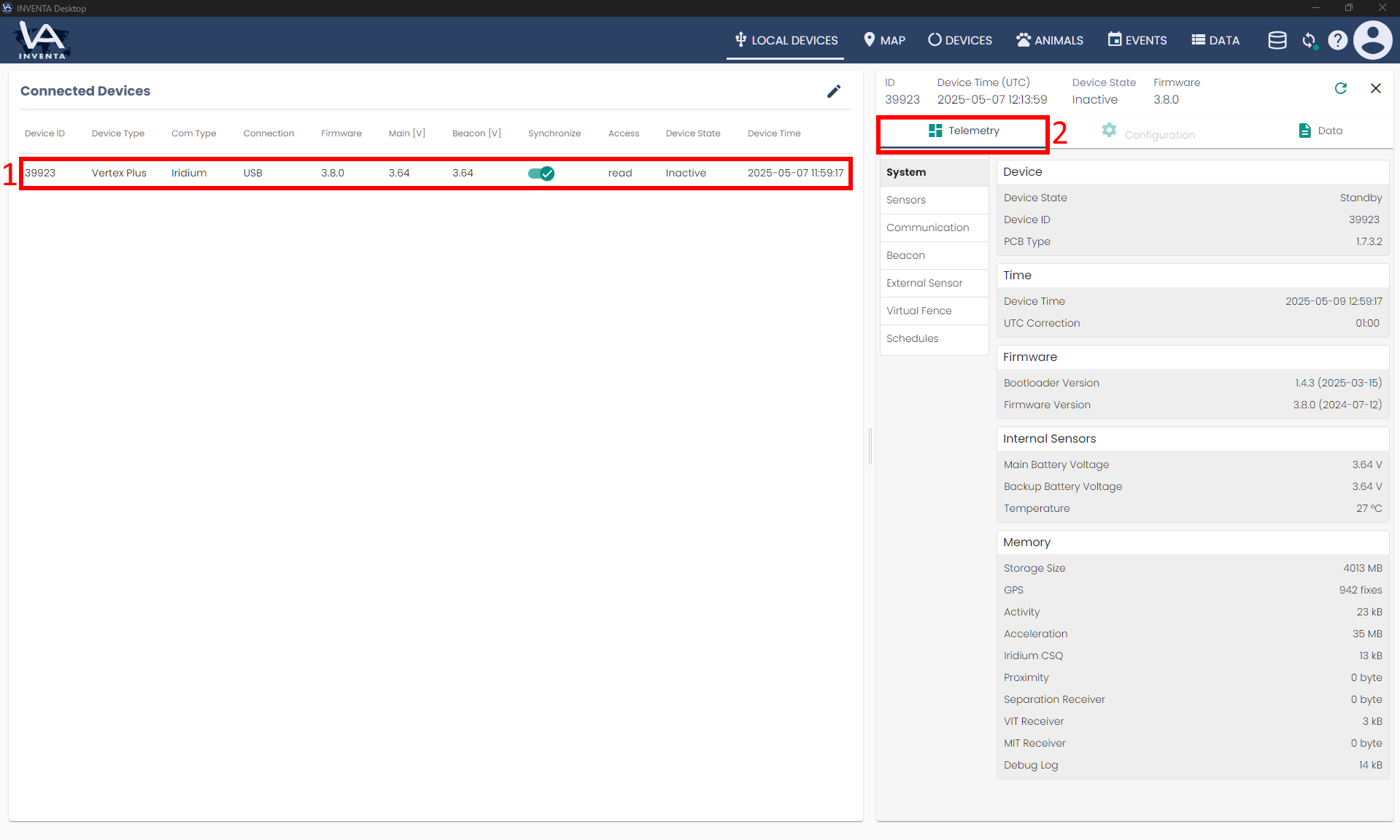
You can view the current configurations of your locally connected device in the Local Devices tab of INVENTA Desktop as follows:
- click on the table row that contains the device whose configuration you want to display
- you can find the configurations in the telemetry sub tab of the device details that appear on the right