
© Felix Rome / Mara Predator Conservation Program

INVENTA
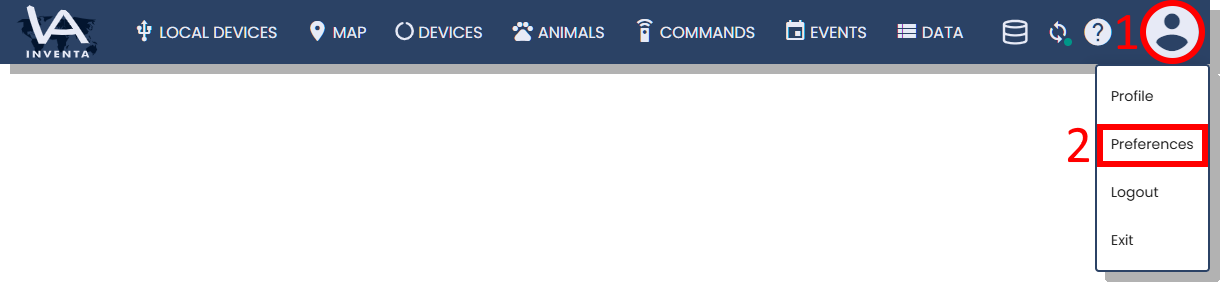
- Click on the user icon in the upper right corner
- Select ‘Preferences’ from the drop-down menu
Create schedule templates
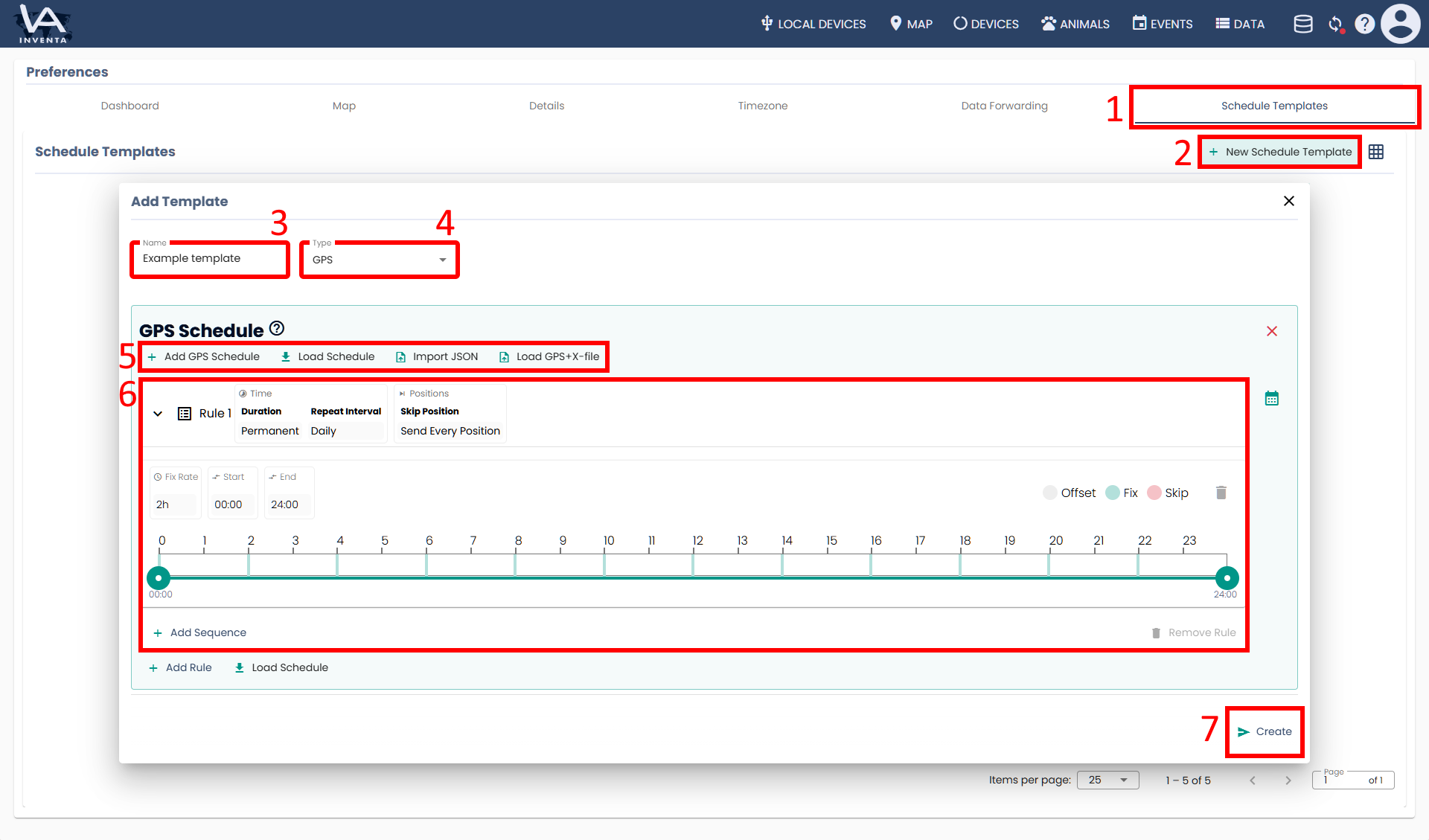
- Select the rightmost tab ‘Schedule Templates’
- Click the button ‘New Schedule Template’
- Name your template
- Select a template type
- Decide whether you want to use a new template or an existing one
- Define your schedule (Remember to add a sequence)
- Click the button ‘Create’
Export schedule templates as a .json file
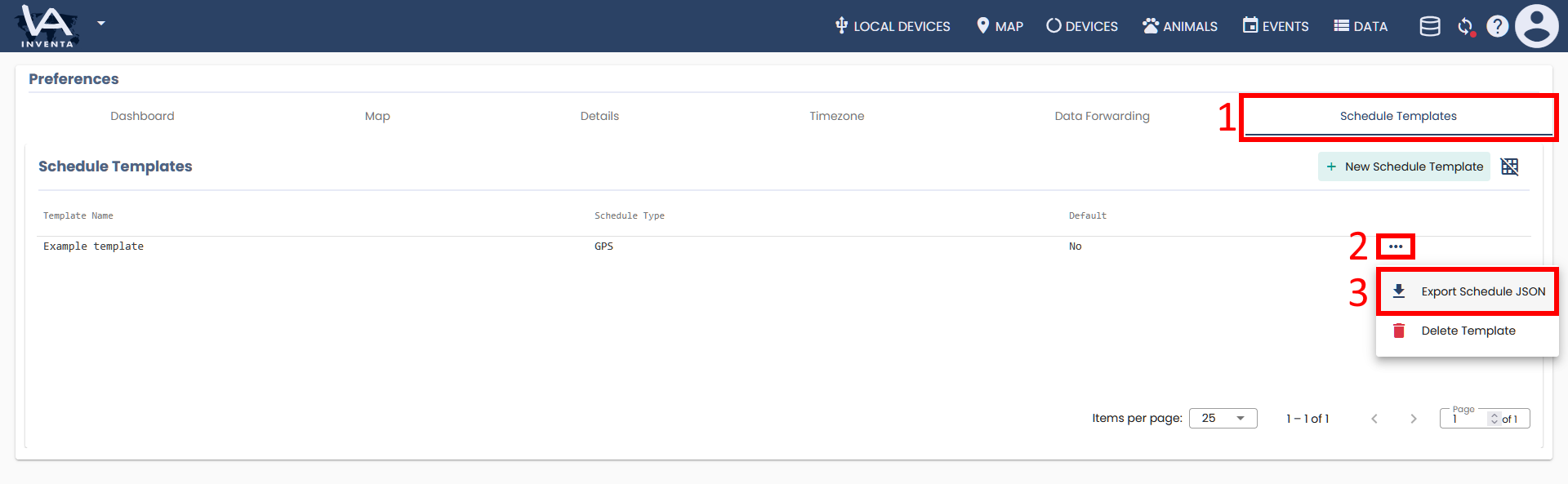
- Select the rightmost tab ‘Schedule Templates’
- Open the row actions for the schedule you want to export
- Select ‘Export Schedule JSON’
Good to know:
- This way, you can create schedule templates and reuse them across various INVENTA accounts and devices
- You can import your schedules from GPS Plus X into INVENTA. (INVENTA schedule templates cannot be imported into GPS Plus X.)