
© Felix Rome / Mara Predator Conservation Program

INVENTA
Whenever you encounter problems in INVENTA, use the Report Issue feature to notify Vectronic. This way, Vectronic will receive the INVENTA log files together with your error report and optional screenshots to assist you as efficiently as possible.
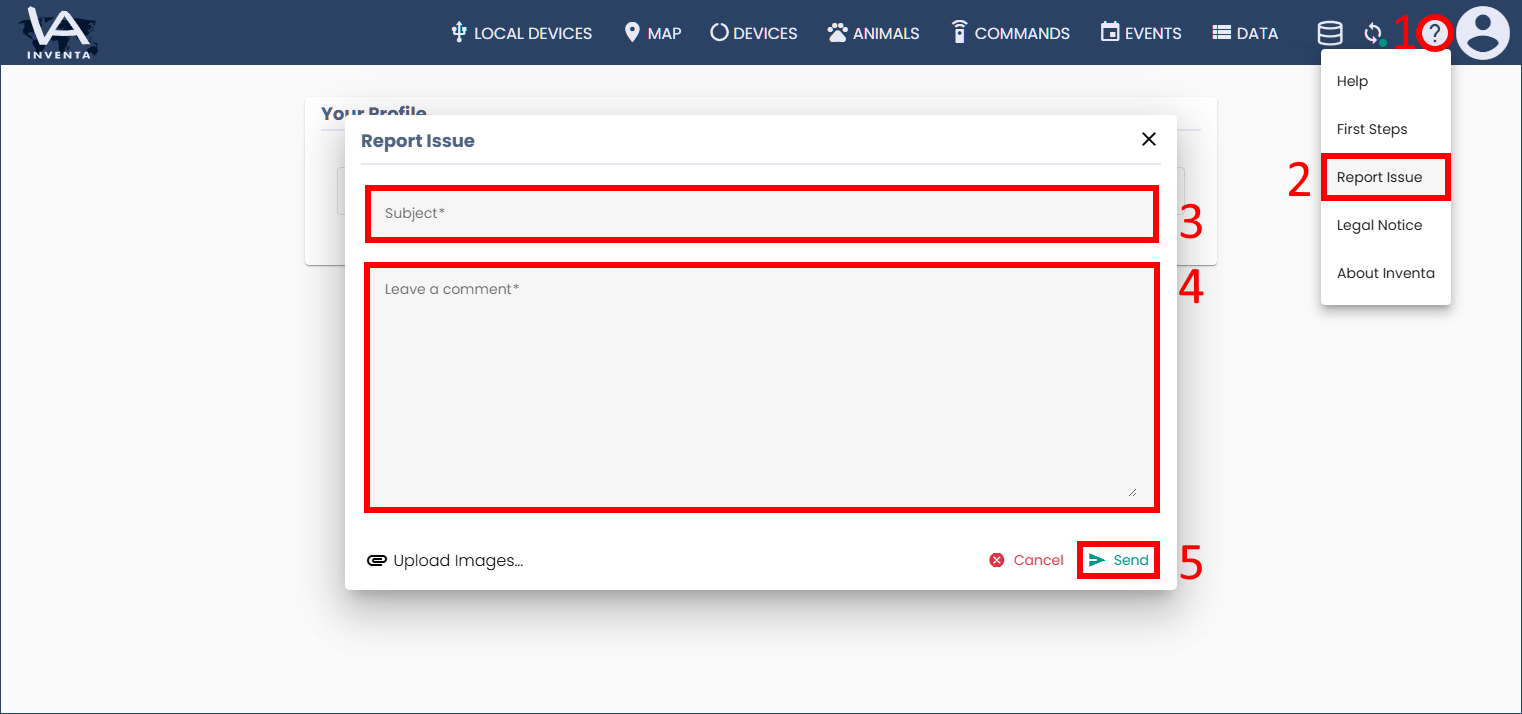
- Click the
question mark icon.
- Select Report Issue from the submenu.
- Enter a descriptive subject of your choice.
- Briefly describe the problem.
- Click the button
Send.
 question mark icon.
Good to know:
- If possible, use the button
 Upload Images, as screenshots are one of the most helpful sources of information for customer support and developers.
 Upload Images, as screenshots are one of the most helpful sources of information for customer support and developers.