
© Felix Rome / Mara Predator Conservation Program

INVENTA
Please note:
Importing data requires at least Data Manager permissions for the corresponding Collar ID.
Import Activity Data
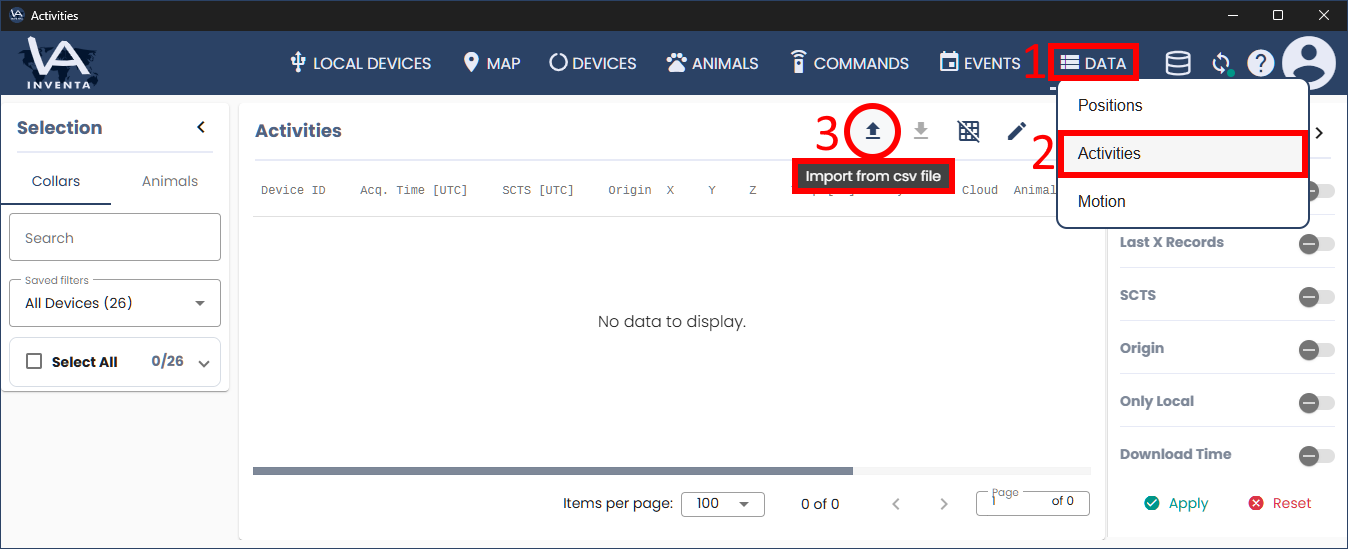
- Select the ‘Data’ tab
- Go to ‘Activities’ in the submenu
- Click the button ‘Import from csv file’ on the right above the table
Import Motion Data in .binv2 format (Acceleration Data + Magnet Data)
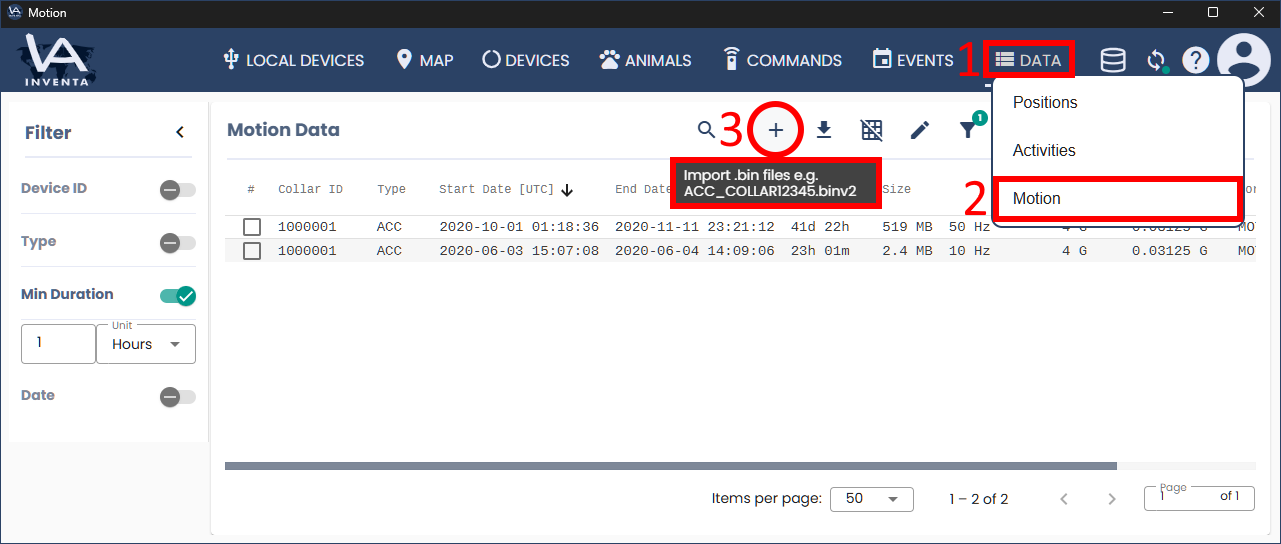
- Select the ‘Data’ tab
- Go to ‘Motion’ in the submenu
- Click the button ‘Import .bin files’ on the right above the table
(Please rename your file if necessary so that it follows the convention: ‘ACC_COLLAR12345.binv2‘ Replace the number ‘12345’ with your Collar ID.)
Good to know:
While the content of the imported csv files is stored in your INVENTA database, this does not apply to your imported Motion files in .bin format. Both the database path and the bin file storage path can be configured via the database icon in the menu bar:
