
© Felix Rome / Mara Predator Conservation Program

INVENTA
Related Articles:
• Send Remote Commands
Permissions:
Your INVENTA account needs to hold Owner permissions or Device Manager permissions on the collar.
On the INVENTA Commands page, first click the ‘New Command’ button on the right side of the table header.
In the appearing ‘New Remote Command’ window, enter one or more collar IDs into the filter. The available Remote Command types for your collars will now be displayed.
The beacon schedule defines the times of day in which the VHF beacon transmitter will be switched on.
You can configure the following within a rule:
- Duration: Time period in which this rule is active
- Permanent
- Temporary period of time
- Repeat Interval: Period after which the rule starts again
- Daily
- Weekly
- Custom interval of days, hours and minutes
You can configure the following within a sequence:
- Start: Time of day in hours and minutes according to the UTC correction at which the VHF beacon transmitter will be switched on.
- End: Time of day in hours and minutes according to the UTC correction at which the VHF beacon transmitter will be switched off.
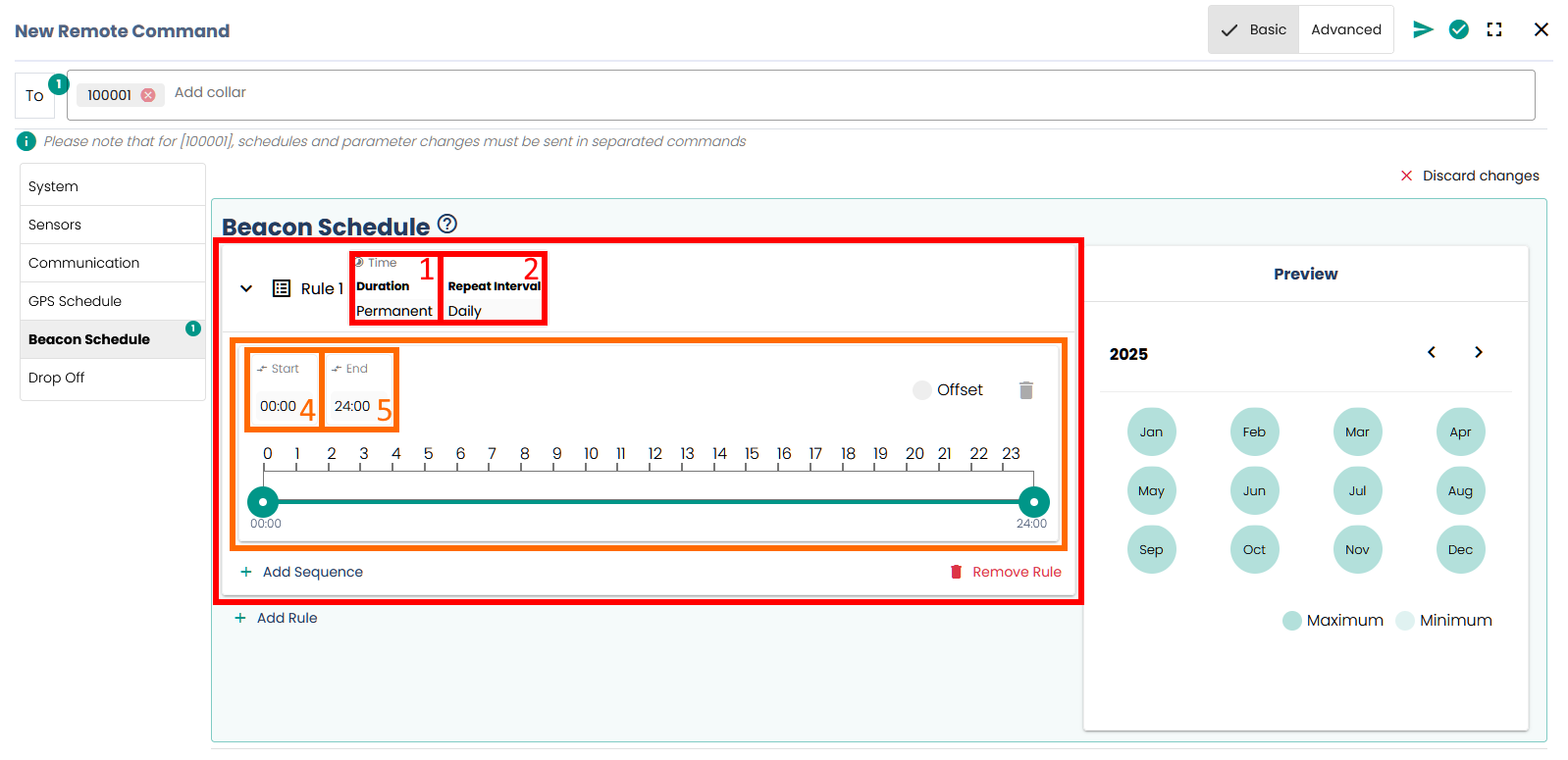
As soon as you start setting up the schedule, a Submit button will appear at the top right, which you can use to apply your configuration to the collar.
Before sending, you will receive a summary of all changes after clicking Submit, which you must confirm by clicking Confirm. Always check the calendar preview here to ensure your schedule is defined as expected.
Please keep in mind:
Applying a schedule to the collar means overwriting the previous schedule. The change is NOT additional.
Good to know:
- You can save main battery lifetime by switching VHF beacon off during times you will not radio-track the device.
- With an expired beacon schedule, the beacon will be switched on at all times.
- If you want to turn off the VHF beacon completely, define a schedule with a start date far in the future.
- If the main battery has run out, the beacon will be switched on at all times to make the recovery of the collar easier.
- Schedules can contain one or more rules.
- Rules can contain one or more sequences.
- If rules/sequences overlap, both are applied.
- Permanent rules should be used for continuous, permanent acquisition.
- Temporary rules are only active for a defined period of time.